I have lost real minutes of my life staring at a browser tab, editing code, hitting refresh, wondering why nothing changed. Then realizing I was looking at production. Or preview. Or some tab that looks exactly like the one I actually wanted.
Every environment of your app ships the same little favicon, so every tab looks identical and your eyes have nothing to grab onto. A protip from David Ferber fixed this for me, and it takes about two minutes. Give each environment its own favicon.
The dumbest fix that actually works
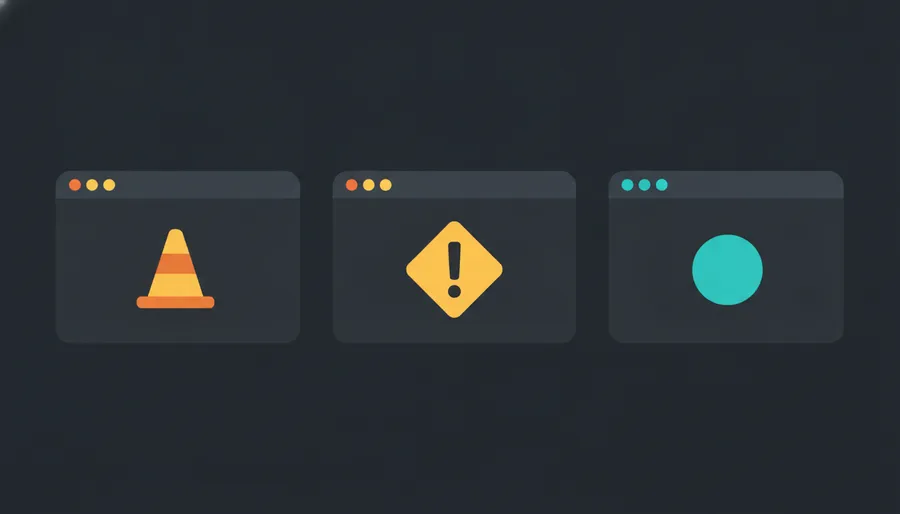
Dev gets a construction cone. Preview gets an orange diamond. Prod keeps the real logo. Now the tab tells you where you are before you even read the URL, and you stop shipping changes into the void of a prod tab.
You do not even need image files for it. An emoji dropped into an SVG data URI works fine as a favicon:
<link rel="icon" href="data:image/svg+xml,<svg xmlns='http://www.w3.org/2000/svg' viewBox='0 0 100 100'><text y='.9em' font-size='90'>🚧</text></svg>" />That is the whole trick. One line, no build step, no new file in your public folder.
Wiring it up in Astro
My site is Astro, and Astro hands you the environment for free through Vite. import.meta.env.DEV is true in dev, and import.meta.env.MODE covers the rest. So in my BaseLayout.astro head I pick the favicon once:
---
const favicon = import.meta.env.DEV
  ? "data:image/svg+xml,<svg xmlns='http://www.w3.org/2000/svg' viewBox='0 0 100 100'><text y='.9em' font-size='90'>🚧</text></svg>"
  : "/favicon.ico";
---
<link rel="icon" href={favicon} />
Dev shows the cone, everything else shows the real icon. Done.
Preview is the one that needs a nudge, because a preview build is still a production build as far as Vite is concerned. So key it off your own variable instead. Most hosts let you set an env var per deploy, so set something like PUBLIC_APP_ENV to preview on that environment and branch on it:
---
const emojiFor = { preview: "🔶" };
const env = import.meta.env.PUBLIC_APP_ENV;
const emoji = import.meta.env.DEV ? "🚧" : emojiFor[env];
const favicon = emoji
  ? `data:image/svg+xml,<svg xmlns='http://www.w3.org/2000/svg' viewBox='0 0 100 100'><text y='.9em' font-size='90'>${emoji}</text></svg>`
  : "/favicon.ico";
---
<link rel="icon" href={favicon} />
Three environments, three tabs you can tell apart at a glance. One note if you copy the raw snippet: modern browsers happily read the unencoded SVG, but if yours is fussy, run the data URI through encodeURIComponent and you are safe everywhere.
Why this is worth two minutes
It is a tiny thing, and tiny things that delete a whole class of mistake are the best kind. I have written before about saving my site from a deploy that went sideways, and half of those messes start the same way, acting on the wrong environment because everything looked the same. A cone in the tab is a cheaper fix than any amount of trying to be careful.
Same energy as the favicon you already generate for social cards. A small piece of the head doing quiet work so you do not have to think about it.
Go color-code your tabs. Future you, three refreshes deep on the wrong one, will thank you.