I lead a team of engineers. My whole day is delegation. I don’t sit down and write every line myself, I figure out who’s best for a piece of work and hand it off. The architect gets the gnarly design problem, the fast hands knock out the boilerplate, and when the stakes are high I pull in a second pair of eyes from outside my team.
Then I’d open Claude Code and do the exact opposite. Dump the entire task on one model and let it grind. Big expensive model on the trivial renames, same model on the hard architecture, no second opinion on any of it. It took a tweet from diegocabezas01 to make me realize I was managing my AI worse than I manage my actual team.
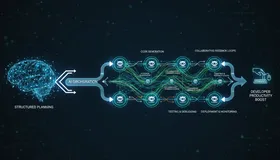
The fix is the orchestrator pattern, and it’s nothing but delegation. The same thing you already do if you’ve ever run a team.
One lead, a few specialists
The mental model maps cleanly onto a team you already understand:
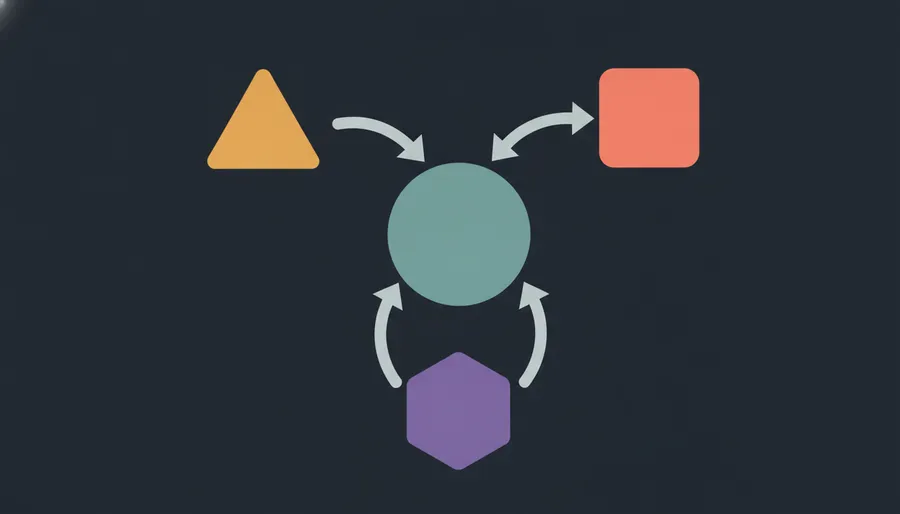
- The main model is the tech lead. It plans, decomposes, synthesizes. It does not do the grunt work.
- A deep-reasoner subagent, pinned to a heavy model, for architecture, debugging, algorithm design.
- A fast-worker subagent, pinned to a cheaper, faster model, for boilerplate, tests, formatting, simple edits.
- A peer from a different shop (Codex, or any model from a different family) for a fresh take on high-stakes calls.
You’d never ask your best systems architect to go fix a lint error, and you’d never ask your fastest coder to design the payments system on their own. Same instinct, just pointed at models.
The setup
Two subagents, created with /agents, each pinned to the right model:
# deep-reasoner  (pin a heavy model)
"Reasoning-heavy phases: architecture, debugging, algorithm design.
 Think thoroughly, return a concise conclusion the lead can act on."

# fast-worker    (pin a fast, cheap model)
"Mechanical tasks: boilerplate, tests, formatting, simple edits.
 Execute efficiently."
Then a block in your CLAUDE.md so the lead actually knows how to lead:
## Orchestration workflow
You are the orchestrator. Plan, decompose, synthesize. Don't do grunt work yourself.
Reasoning-heavy phases (architecture, debugging, design) -> deep-reasoner
Mechanical work (boilerplate, tests, formatting) -> fast-worker
High-stakes calls: task deep-reasoner and a different model on the same problem
in parallel, then synthesize the best of both. Keep your own context lean.
And then you prompt the lead like you’re briefing a tech lead, not like you’re typing into a search box:
Goal: <what you want>
Context: <files, constraints>
You're the lead. Delegate reasoning to deep-reasoner, grunt work to fast-worker.
Show me your plan first, then execute.
Why it actually works
Your expensive reasoning budget goes to reasoning, not to renaming variables. That alone pays for the whole thing.
But the real win is context. The lead never fills its window with mechanical churn. The subagents burn their own context on the grunt work and hand back a short conclusion, exactly like a good manager who doesn’t sit in every working session. That “keep your own context lean” line is the one everyone skips, and it’s the whole game. A tech lead who tries to hold every detail of every subtask in their head is a bad tech lead. Same for the orchestrator.
The parallel second opinion is the part I underrated. Two models on the same hard problem, synthesized without either one seeing the other’s answer, is nothing but a design review. And design reviews catch things a single pass never will.
When not to bother
Orchestration has coordination overhead. Spinning up subagents, passing context back and forth, synthesizing the results, that is real latency and real tokens. For a one-file change or a quick question, skip all of it and let one model do the thing. You don’t call a stand-up to change a button color.
If you already know how to run a team, you already know how to run this. Point the lead, trust the specialists, keep your own head clear.