Hey there! So I’ve been using Ghostty for a while now, and it’s quickly become my go-to terminal emulator. Not because it’s flashy or has a million features, but because it does exactly what I need - fast, clean, and gets out of my way.
Why Ghostty Though?
Look, I’m not here to sell you on another terminal emulator. There are plenty of great options out there - iTerm2, Alacritty, Kitty. But Ghostty hits a sweet spot: it’s blazingly fast (written in Zig), GPU-accelerated, and has sane defaults. Plus, the configuration is dead simple.
The real kicker? It just works. No weird rendering bugs, no lag when you’re tailing massive log files, and it plays nice with tmux - which is essential for my workflow.
The Config Breakdown
Here’s my minimal Ghostty config. It’s focused on two things: looking good and working seamlessly with tmux.
# tmux integration - send save-buffer command
keybind = cmd+s=text:\x01\x73

# tmux prefix to toggle zoom on current pane
keybind = cmd+b=text:\x01\x7a

# aesthetics
background-opacity = 0.85
background-blur=16
background=#000000
macos-titlebar-style = hidden

# typography
font-size=16
font-thicken=true
font-thicken-strength=1
adjust-cell-height=1
tmux Keybindings
The first two lines are all about tmux integration:
cmd+ssendsCtrl-a sto tmux (my prefix isCtrl-a), which triggers save-buffer in my tmux configcmd+bsendsCtrl-a zto zoom/unzoom the current pane - super handy when you need to focus
These keybindings let me stay in macOS keyboard land while controlling tmux seamlessly.
Visual Polish
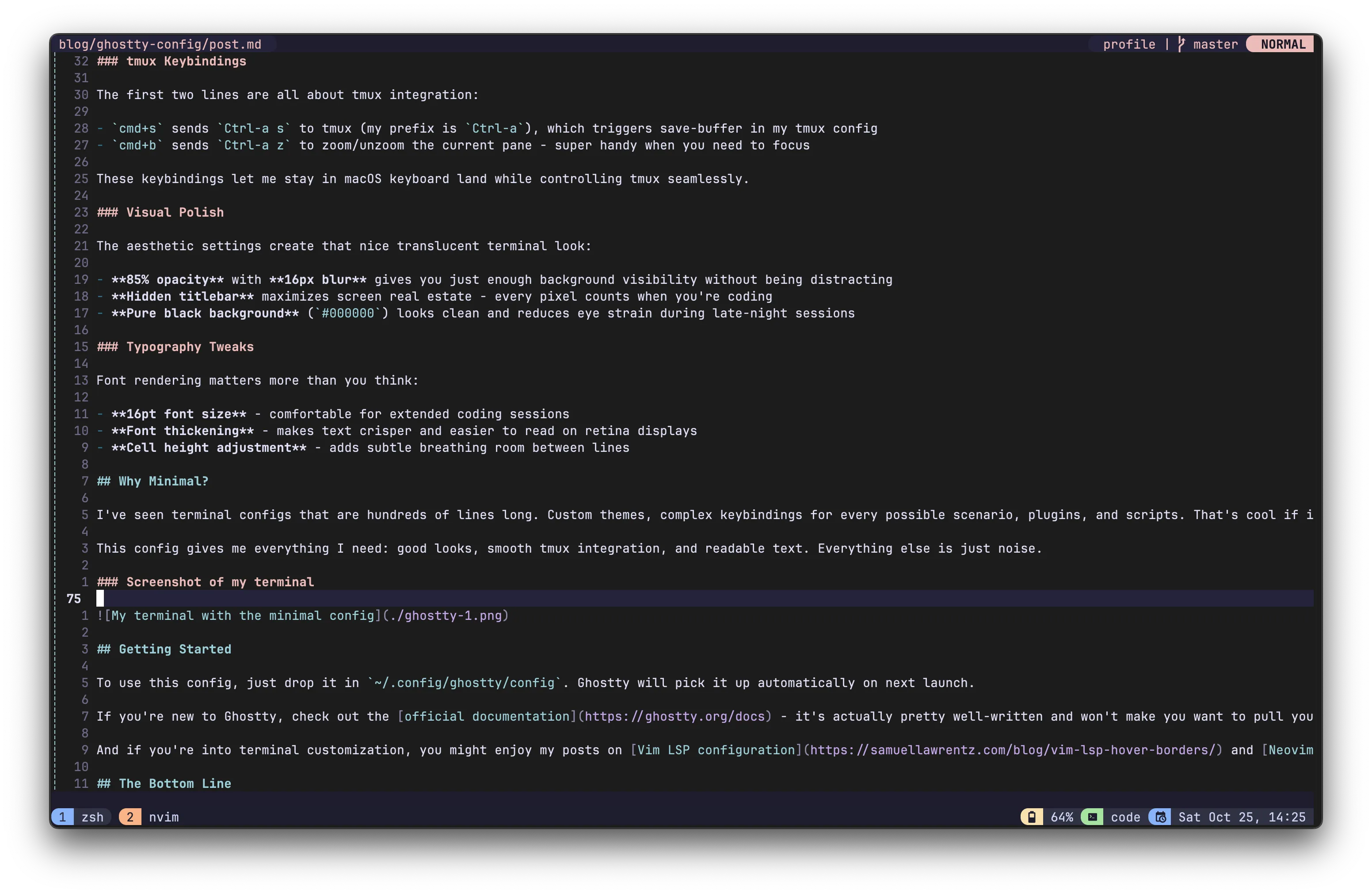
The aesthetic settings create that nice translucent terminal look:
- 85% opacity with 16px blur gives you just enough background visibility without being distracting
- Hidden titlebar maximizes screen real estate - every pixel counts when you’re coding
- Pure black background (
#000000) looks clean and reduces eye strain during late-night sessions
Typography Tweaks
Font rendering matters more than you think:
- 16pt font size - comfortable for extended coding sessions
- Font thickening - makes text crisper and easier to read on retina displays
- Cell height adjustment - adds subtle breathing room between lines
Why Minimal?
I’ve seen terminal configs that are hundreds of lines long. Custom themes, complex keybindings for every possible scenario, plugins, and scripts. That’s cool if it works for you, but I prefer keeping things simple.
This config gives me everything I need: good looks, smooth tmux integration, and readable text. Everything else is just noise.
Screenshot of my terminal
Getting Started
To use this config, just drop it in ~/.config/ghostty/config. Ghostty will pick it up automatically on next launch.
If you’re new to Ghostty, check out the official documentation - it’s actually pretty well-written and won’t make you want to pull your hair out.
And if you’re into terminal customization, you might enjoy my posts on Vim LSP configuration and Neovim optimization.
The Bottom Line
Ghostty is fast, simple, and gets out of your way. This config makes it look good and work smoothly with tmux. That’s it. No magic, no complexity - just a solid terminal setup that works.
Happy terminal-ing! 🚀