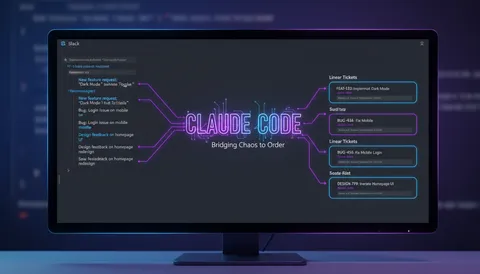
Everyone is listing 15+ MCP servers. Most of them are toys. Here are the ones I actually kept installed after a month of testing.
Quick context if you missed it: MCP (Model Context Protocol) is how Claude connects to real tools in real systems. You install a server, Claude gains a superpower - it can read your issues, query your errors, check your repos. It’s not a plugin system. It’s Claude becoming an agent that operates in your actual stack.
The ones I kept
GitHub MCP - reads PRs, issues, CI status, code search. I ask “what’s blocking this PR?” and it reads the review comments and CI logs without me copy-pasting anything. Full setup here. Verdict: keep.
Linear MCP - creates, updates, and queries issues. I use it as part of a Slack-to-Linear workflow where Claude reads my week of messages and files the tickets automatically. That whole workflow is here. Saves me 30 minutes every Monday. Setup guide here. Verdict: keep.
Sentry MCP - queries production errors by project, timeframe, or affected users. “What broke in the last hour?” is a real question I now ask in plain English instead of opening five tabs. How to connect it. Verdict: keep.
Playwright MCP - Claude writes and runs E2E tests in a real browser. I use it for regression checks after feature work. Ask it to “verify the login flow still works,” it opens a browser, clicks through, and tells you exactly where it broke. Verdict: keep, especially if you’ve been putting off writing E2E tests.
Context7 MCP - live documentation lookup. Instead of relying on training data from 18 months ago, Claude fetches current docs when it hits something unfamiliar. Crucial for anything in the Astro/Bun ecosystem that moves fast. Verdict: keep.
Figma MCP - reads your Figma file: design tokens, component properties, layer names. Useful when you’re building from a design and want Claude to pull the exact spacing and color values instead of eyeballing screenshots. Verdict: situational, only worth it if you work from Figma regularly.
The 5-minute rule
Only install an MCP server if it saves you more than 5 minutes a day. Otherwise it’s config debt. Every server you add is one more thing that can break, timeout, or slow down Claude’s tool resolution. Be ruthless about what earns its spot.
Managing them cleanly
Config lives in ~/.claude/settings.json (global) or .claude/settings.json (per project). Project-level config is better — not every repo needs Sentry access.
To disable without uninstalling, remove the entry from the config file. You’ll know a server is actually being called when Claude mentions the tool name in its response (e.g., linear_create_issue, sentry_search_errors). If you’re not seeing tool names in responses, it’s not being used.
What I removed
Notion MCP - too slow. Every query added 3-5 seconds of latency. Not worth it for occasional doc lookups.
Postgres MCP - useful in theory, not in practice. Claude writing raw SQL against a production database is something I don’t want to babysit. Hard no.
Google Drive MCP - too broad. It gave Claude access to everything, which felt wrong. I look up specific docs manually when I actually need them.
The power of MCP isn’t any single server. It’s that Claude stops being a chat box and starts being a coworker who can actually open a ticket, check the logs, and push a fix.