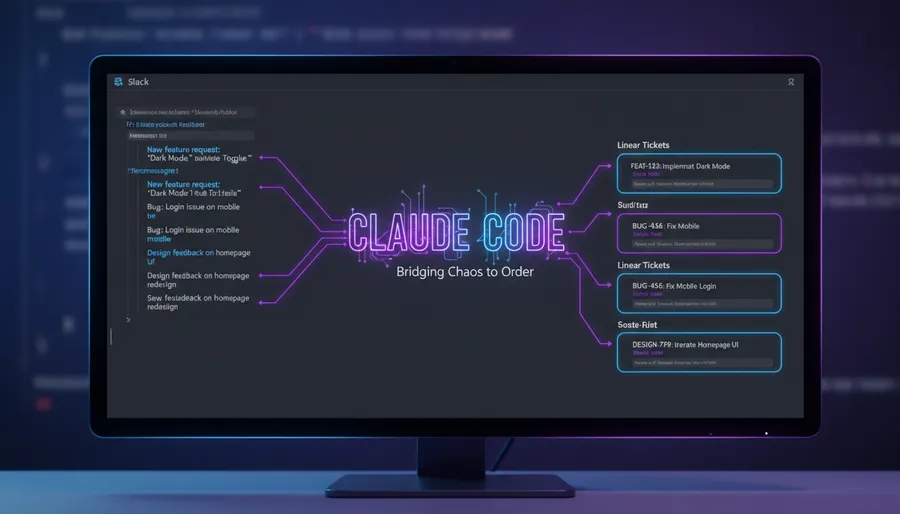
I manage a team. That means I spend half my week in Slack - answering questions, unblocking people, making decisions, giving feedback, and occasionally dropping context that I’ll forget about by Monday. Sound familiar?
The problem isn’t sending messages. The problem is that every message I send carries an implicit follow-up, and I never track them. Did I tell someone I’d review their PR? Did I promise to loop in design? Did I ask for an update that never came? It all just… floats away in the Slack timeline.
So I built a workflow. It takes about 3 minutes and it runs entirely inside Claude Code.
The Setup
I have two MCP servers connected to Claude Code - Slack and Linear. That’s it. No custom scripts, no cron jobs, no Zapier glue. Just Claude Code with access to both services.
Setting up MCP servers in Claude Code is straightforward - you run claude mcp add with the server URL, authenticate via OAuth, and you’re done. Linear has an official MCP server they launched in 2025, and for Slack you can use the community MCP server or Slack’s own integration if you’re on a Claude Team plan.
Step 1: “What Did I Even Say This Week?”
Every weekend (or sometimes mid-week when things get hectic), I open Claude Code and ask it to pull my recent Slack messages. Claude reads through my conversations across channels and DMs, and gives me a summary - not just what I said, but why I said it.
This is the part that surprised me. Claude doesn’t just parrot back my messages. It understands context. If I wrote “let’s hold off on the migration until after the release” in three different channels, it groups those together and tells me: “You paused the database migration work across multiple teams, pending the v2.1 release.”
That kind of synthesis across scattered conversations is something I could never do manually. Not because it’s hard - because I’d never bother.
Step 2: “What Needs to Happen Next?”
From that summary, I ask Claude one question: what do I need to follow up on, and what does the team need to do?
Claude splits it into two clean lists. My follow-ups - things I promised, reviews I owe, decisions I deferred. And team action items - tasks I assigned or implied, questions that went unanswered, work that was discussed but never tracked.
This is where the real value kicks in. Half of these items would have slipped through the cracks. A message like “yeah we should add rate limiting before launch” is easy to forget. Claude catches it.
Step 3: “Make the Tickets”
Here’s where it gets good. I tell Claude to create Linear tickets from those action items. I have a simple mapping - which types of issues go to which team member based on their area of ownership. Claude knows this mapping and automatically assigns each ticket to the right person.
So from a single conversation in my terminal, I go from “a week of scattered Slack messages” to “a prioritized, assigned backlog in Linear.” No copy-pasting between apps. No manually writing ticket descriptions. No forgetting that one thing I said in a thread at 11pm on Tuesday.
Why This Works
It’s not about automation for automation’s sake. The reason this workflow sticks is that it matches how I actually think about work.
I don’t think in tickets. I think in conversations. I make decisions in Slack, not in Linear. The gap between where decisions happen and where work gets tracked - that’s where things fall through. Claude bridges that gap.
The MCP integrations are the key piece. Claude isn’t scraping a web page or parsing an export file. It’s reading Slack as a first-class data source and writing to Linear as a first-class output. The whole thing feels like one continuous thought process, not a pipeline of disconnected tools.
The Actual Commands
I’m not going to pretend there’s some magical prompt. It’s literally conversational:
- “Summarize all the Slack messages I sent this week with context on why I sent each one.”
- “From this summary, what do I need to follow up on? What does the team need to do?”
- “Create Linear tickets for the team action items. Assign them based on ownership areas.”
Three prompts. That’s the whole workflow. Each one builds on the previous response, so Claude has full context throughout.
What I’d Improve
Honestly, not much. The one thing I want is scheduling - I’d love this to run automatically every Friday evening and drop the summary in a Slack channel. Right now it’s manual, which means I sometimes forget (ironic, given the whole point is to not forget things). But the manual version already saves me a couple hours a week of mental overhead.
If you’re managing a team and you’re not using MCP integrations with Claude Code yet - just try the Slack one first. Even without the Linear part, having an AI that can read your week of messages and tell you what you forgot to follow up on is worth the setup time ten times over.
Happy managing.