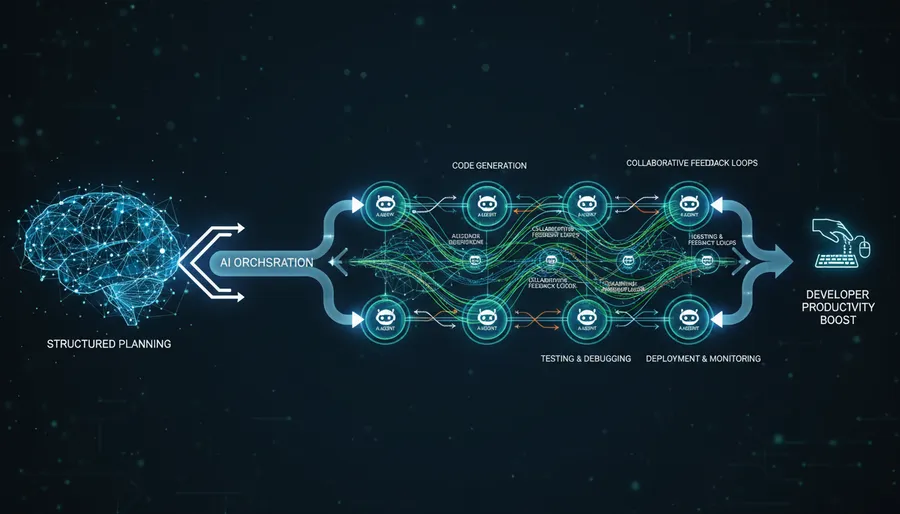
I spent the first few weeks with Claude Code the way everyone does - typing vague requests, getting mediocre output, and wondering what the hype was about. “Build me a dashboard.” “Add authentication.” The results were… fine. Technically correct, architecturally questionable, and usually not what I actually wanted.
Then I changed how I used it, and everything clicked.
Plan First, Code Later
The single biggest mistake is jumping straight to implementation. You wouldn’t hand a junior engineer a one-line spec and expect production-ready code. Same rule applies here.
# Bad
"Add a blog post feature to my site"

# Good
"I need to add blog posts to my Astro site. Before writing any code,
create a plan - consider the content collection schema, routing with
trailing slashes, and MDX support. Show me the plan first."
The plan gives you a chance to catch wrong assumptions before a single line of code exists. I’ve saved hours by spotting bad architectural decisions at this stage instead of after 500 lines were already written.
Iterate the Plan
Don’t accept version one. Push back. “Simplify the routing - I don’t need dynamic categories.” “What about RSS feed generation?” “Drop the database, use flat MDX files instead.”
Two or three rounds of plan iteration costs minutes. Rewriting implemented code costs hours. This is where you steer the architecture.
Parallel Execution
Once the plan is solid, you can unleash it. Claude Code supports running multiple agents on different files simultaneously - one agent writes the component, another writes the tests, a third updates the config.
This is where oh-my-claudecode takes it further. It’s an orchestration layer that adds multi-agent workflows on top of Claude Code. Commands like /team and /ultrawork spin up parallel agents that divide the work across your codebase. A feature that would take a single agent 20 minutes gets done in 5.
Plugins That Matter
Claude Code’s plugin ecosystem is worth exploring. The ones I actually use:
- Frontend Design - generates UI components without design mockups. Surprisingly good for prototyping.
- Code Simplifier - trims the verbosity that AI-generated code tends to have. Cleans up what the agents produce.
- MCP Servers - Linear, GitHub, Sentry integrations. Claude Code can read your tickets, check CI status, and query error logs without you leaving the terminal.
Visual Generation
Tools like Excalidraw pair well with Claude Code for generating diagrams, architecture visuals, and even blog header images. When you need a quick visual for documentation or a post, ask Claude to generate the Excalidraw JSON and paste it in.
Save Your Config
Your ~/.claude/ directory is your entire Claude Code brain. If you switch machines and don’t have it, you’re starting from scratch.
# Key files to track in your dotfiles repo
~/.claude/CLAUDE.md          # Your global instructions
~/.claude/settings.json      # Permissions, model preferences
~/.claude/keybindings.json   # Custom shortcuts
# Plus any MCP server configs
Throw these in a dotfiles repo, symlink on new machines, and your Claude Code experience stays consistent everywhere.
This post was written using this exact workflow. Plan, iterate, execute. The meta is the proof.